Ask about a document
When is the payment due?
Summarise section 3.
The answer comes from the document you opened.
Offline document AI for Android
Open a Word, Excel, PowerPoint, PDF or text file. Ask a question and get the answer from the document. Ask for a change and it appears as an edit you accept or reject. The AI runs on the phone itself, so after a one-time download it works with no internet connection.
How it works
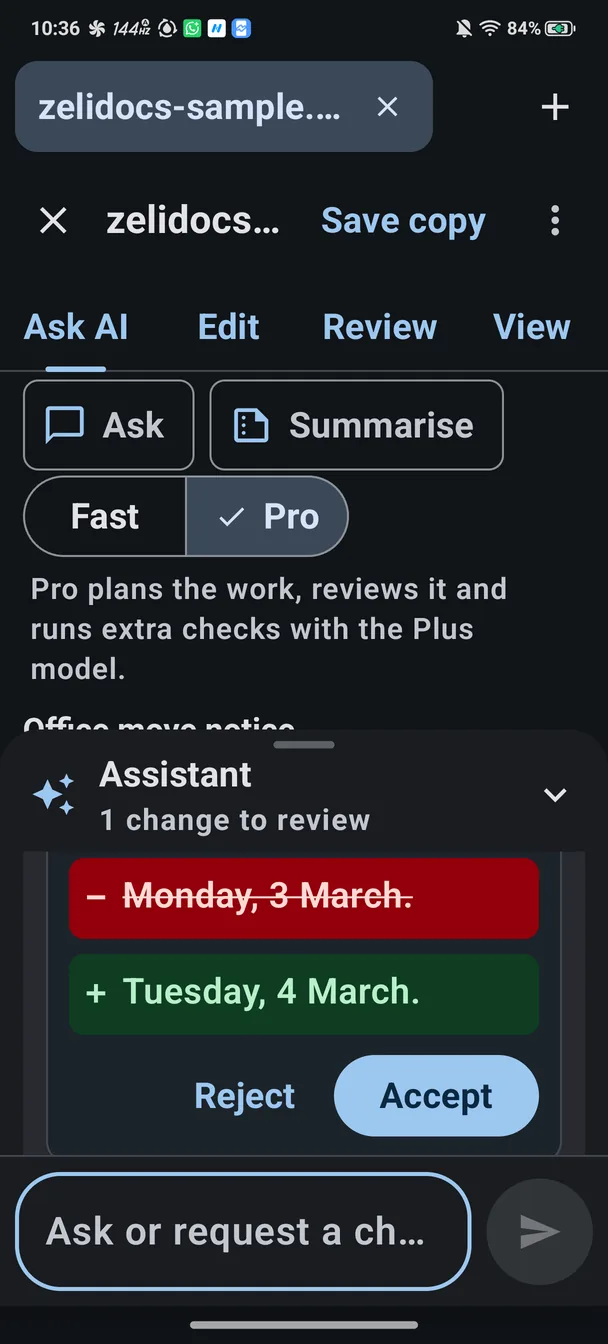
You ask in plain words. The assistant shows exactly what it wants to change, in red and green, and waits for you.
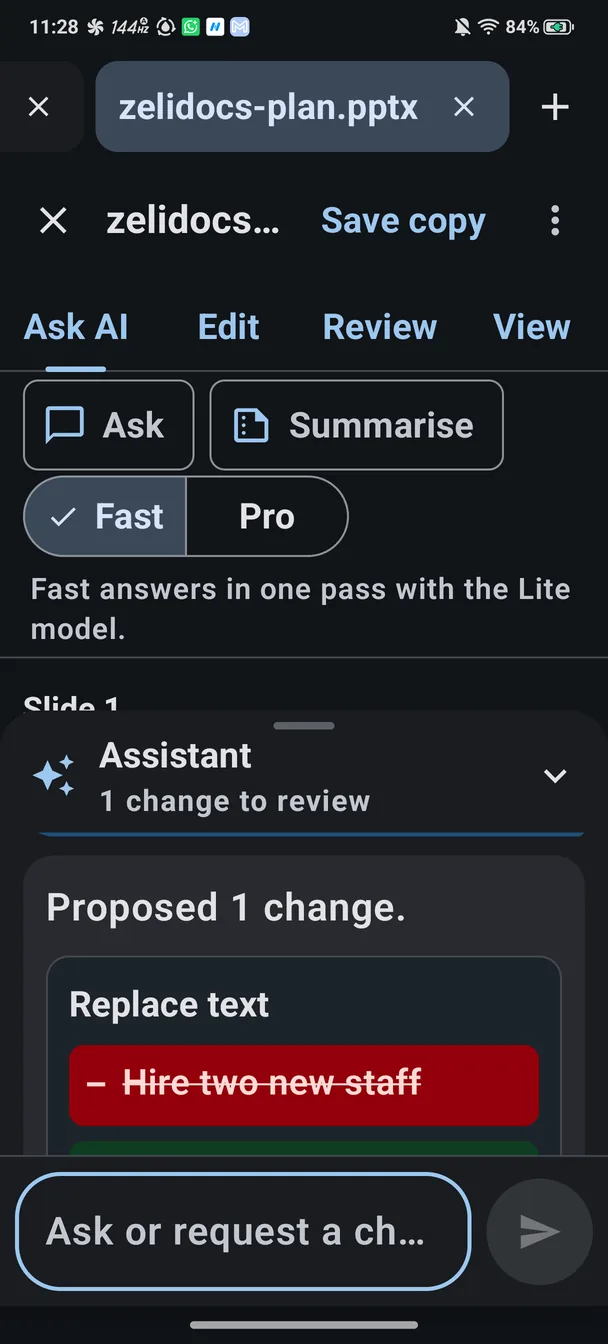
Type a question, or ask for a change: replace a word everywhere, add a sentence after a heading, delete a line, or set a spreadsheet cell.
Each edit shows as a card: the old text struck through, the new text underneath.
Nothing changes until you accept, and Undo is one tap away.
Tap Save copy to keep the edited version, or share it. Your original file is never overwritten.
Try it
Office move notice
The move happens on Monday, 3 March.Tuesday, 4 March.
Call us on 0484 123 456 with any questions.
Change the date to Tuesday, 4 March.
What you can do
When is the payment due?
Summarise section 3.
The answer comes from the document you opened.
Replace a word everywhere, add a sentence after a heading, delete a line, or set a spreadsheet cell. Every change waits for your yes.
Built-in checks find repeated words, extra spaces, words spelled two ways, and unmatched brackets and quotes, with no AI needed. Or ask the assistant to check spelling and grammar.
Accepted changes go into a copy when you tap Save copy. Share the copy straight from the app. The file you opened stays as it was.
In the app
Private by design
The AI model runs on the phone itself. Your files, your questions and the answers are never uploaded.
No accountNo adsNo analyticsNo crash reporting
Two ways to work
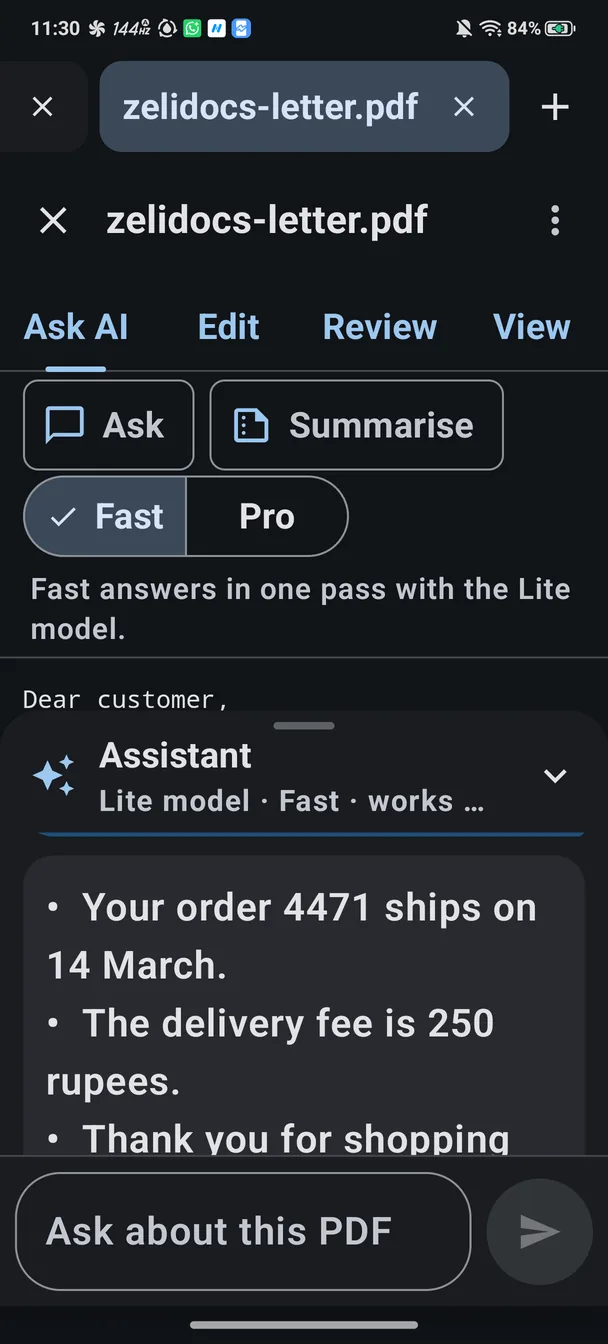
Fast mode
Answers quickly, for everyday questions and simple edits.
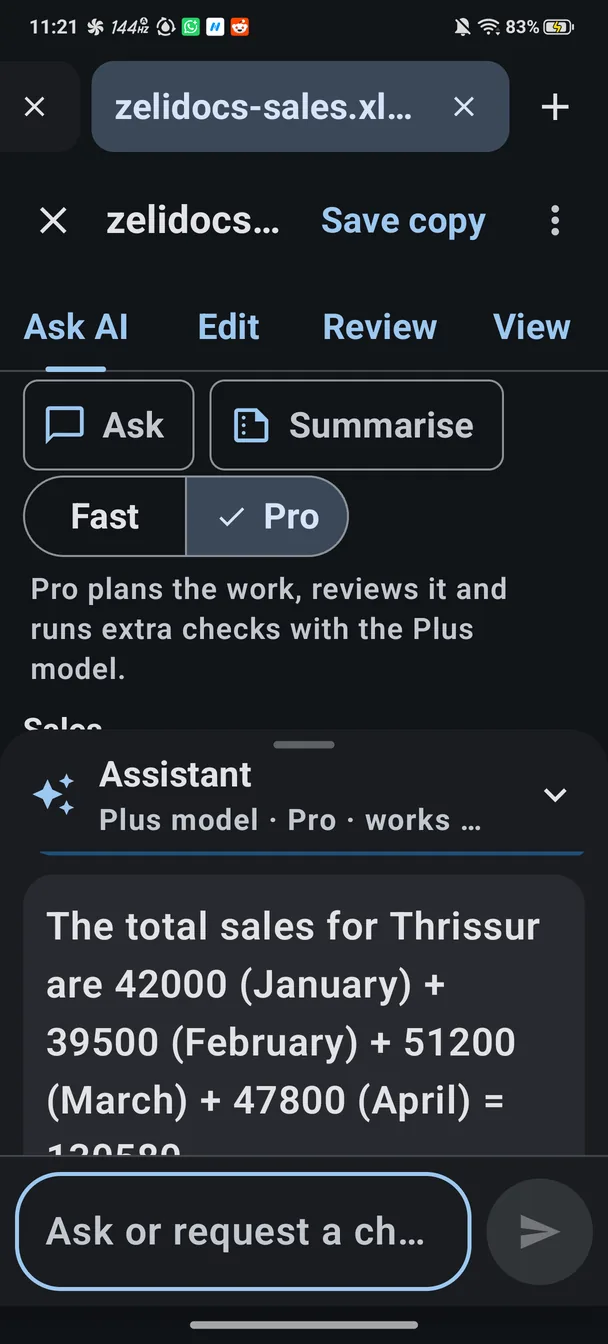
Pro mode
Plans the change, writes it, checks it and fixes its own mistakes before you see it. On phones with about 12 GB of memory, it can use the larger Plus model.
Free and Pro
Free
Pro
The price is shown in Google Play.
Good to know
Only once, to download the AI model: about 340 MB for the Lite model, or about 980 MB for the Plus model. Use Wi-Fi if you can. After that it works with no connection. If you already have the model file, you can add it from the app instead.
A 64-bit Android phone with Android 8.0 or later. The larger Plus model needs a phone with about 12 GB of memory.
Word (DOCX), Excel (XLSX), PowerPoint (PPTX), PDF and plain text (TXT). PDFs are read-only: you can ask about them, but not edit them.
No. Changes you accept are saved to a new copy when you tap Save copy. The file you opened is never overwritten.
Yes. Check important facts against the document. If an answer is wrong, tap Report this answer: your own email app opens with the report filled in, and nothing is sent unless you send it.
No. There is no sign-in and there are no ads.